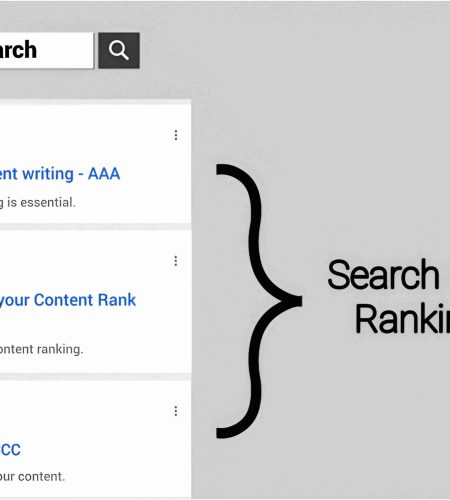
Content writing is an unbreakable chain of selecting a niche, researching keywords, collecting information, utilizing knowledge, processing data, and writing content with added value. Here, we will know details about finding low competition keywords for content writing.
Low-competition keywords mean that only a few bloggers apply that keyword to their articles. It is better if the keyword has low competition and high search volume on search engines.
Important Point
Before finding low-competition keywords for your blog post, you need to choose a topic.
This keyword will help bring traffic to your blog and improve article SEO on Google Search Engine. If the keywords do not match the topic, your article will be identified as low-value content.
Finding relatable keywords for the topic and properly placing them in the article will increase your SEO score.
Keyword research depends on multiple things, like topic, intent, keyword research tools, search volume, and other things. If you want to write high-quality content, you need to consider these things.
What is a low competition keyword?
A low-competition keyword is a word, phrase, or sentence that only a few websites have applied as a search term in their articles. People use those keywords to help a new website rank in the top position of a search engine.
Low-competition keywords are unpopular search terms; this is why high-authority sites do not use those keywords in their content. It is rare to see a low-competition keyword with a large number of search volumes.
How to Find Low Competition Keywords for Content Writing?
Finding low competition keywords for content writing is challenging using free tools. Paid tools show every detail about any keyword when you submit it in the search bar. These paid tools gather and give you accurate information about keyword search volume, its intent, related questions, CPC, and other information.
Free keyword research tools are effective if you know how to use them properly. Also, these free tools will reduce your expenses, and you can use those savings in other work. Google Keyword Planner and Ahrefs offer free keyword research tools.
Semrush, Ahrefs, Ubersuggest, and Moz are the best-paid keyword research tools. Each tool offers extra features such as domain overview, organic research, backlink analysis, on-page SEO checker, etc.
Using Paid Keyword Research Tools
Semrush
Semrush is a top-paid keyword research tool that is easy to use for beginners and professionals. It offers domain overview, create projects, Keyword Gap, backlink gap, keyword research, competitor analysis, etc, and over 55 tools and reports in paid accounts. Here is the process:
⦁ Click on the menu bar and select the Keyword Magic Tool for the next process.
⦁ Then, type or paste related keywords in the search box, select the targeted country, and press enter.
⦁ After that, all types of relevant keywords will appear on your screen. Above those keywords you will see various options such as volume, intent, KD, etc.
⦁ Click on “intent” and select “informational.” This filler helps to show all the informational-related keywords.
⦁ Again, click on KD and set 0% to 25% to see all the low-competition keywords.
Ubersuggest
Ubersuggest shows the exact organic and paid SEO difficulty when you put a keyword in the search box. This research tool offers almost all the features that others do. Let’s see the process of finding low-competition keywords in Ubersuggest:
⦁ Log in to your Ubersuggest account and select “Keyword Overview” for the following process.
⦁ Then, type your chosen keyword in the search box and select the language and country of your targeted audience.
⦁ A page will appear where you can see all the details about the keyword, like SEO difficulty, intent, CPC, and others.
⦁ To view other related keywords, click on ‘Keyword Ideas’ afterwards. Now you can see the list of relevant keywords and the SEO difficulty shown on the right side of the keywords.
Free Keyword Research Tools
Google is the number one search engine, and Gmail, YouTube, and Google Maps are the services that Google provides. This search engine can be a valuable tool for keyword research for your content. Follow this step:
⦁ Search for your keyword between double inverted commas. For example, “loans.”
⦁ After getting search results, click on “tools” on the bottom right side of the search ber.
⦁ You will see this type of answer. (About 0 results (0.00 seconds)
⦁ This result shows how many sites are indexed in Google.
Google Keyword Planner
Google Keyword Planner is a tool of Google Ads where you can discover keywords and view relevant keywords. Let’s see how you can take advantage of Google Keyword Planner:
⦁ Create a Google Ads account to access this tool and log in on your device.
⦁ Select “Tools” on the left side of the dashboard, then click on the Keyword Planner for the next step.
⦁ After that, you will see two options. Discover new keywords and get search volume and forecasts for the next process.
⦁ Select the Discover New Keywords option, and a search box will appear on your screen.
⦁ Type your targeted keywords and press enter; you will see a list of all keywords and their details, like KD, search volume, CPC, and other information.
Conclusion
In this article, I bring up paid and free keyword research tools for your blog. Paid tools show more accurate and unlimited keywords compared to free tools. Also, paid tools have a feature to optimize your website by connecting in their project section.
If you are a beginner, I would prefer you use free tools like Google, Google Keyword Planner, and Ahrefs. After you understand the whole keyword research process, you can go for paid tools. That way, you can utilize these tools properly.
Comments